
BlockCraft


Game Overview
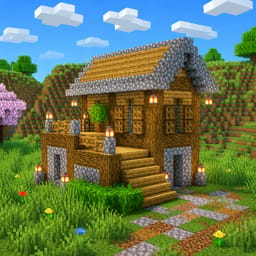
BlockCraft is a browser-based voxel sandbox game where you can build, explore, mine, and reshape a large block-filled world. If you enjoy open-ended building games, you can start creating right away without installing anything or registering an account.
The world gives you plenty of space to experiment. Break blocks to collect materials, dig underground tunnels, build houses and palaces, or construct bridges across rivers. You decide what to create and how you want to explore the terrain.
BlockCraft features more than 20 different biomes, so the landscape changes as you travel. You can explore oak and birch forests, dry cactus-filled deserts, snowy mountains, dense jungles, swamps, acacia savannas, and rugged badlands. Each area gives you a different environment to explore and build in.
There is also plenty to discover below the surface. Dig into dark mines to search for valuable ores, with glowstone helping illuminate underground areas. The world continues to change as the day-night cycle moves from daylight into nighttime, giving exploration a different feel after dark.
The sandbox also includes interactive features that make the world more dynamic. Water flows through the environment, TNT can trigger chain reactions, and you can sprint or take to the air with flight mode. These mechanics give you more freedom when exploring, building, and experimenting with your surroundings.
Because BlockCraft runs directly in your browser, you can play on both computer and mobile devices. There is no installation or registration required, making it easy to jump into a new world whenever you want. Whether you want to build a large structure, search for ores, explore different biomes, or simply experiment with blocks, the game lets you play at your own pace.
How to Play BlockCraft
PC Controls
- WASD: Move
- Mouse: Look around
- LMB: Break a block
- RMB: Place a block
- Space: Jump
- Double-tap Space: Fly
- E: Open inventory
- –9 / Mouse Wheel: Select a block
Mobile Controls
- Left Joystick: Move
- Swipe: Look around
- Tap: Place a block
- Press and Hold: Break blocks
- Round Button: Jump
- Double-tap Jump: Fly
- Grid Icon: Open inventory
- Hotbar: Select the current block