
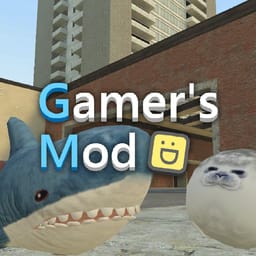
Gamer's Mod





Game Overview
Gamer's Mod is a physics sandbox where you create structures, vehicles, combat scenes, obstacle courses, and other custom situations. The game gives you a dynamic environment and a collection of objects to spawn, place, and manipulate. This building game starts with an open space, then lets you decide whether the session will focus on construction, experiments, exploration, roleplay, or survival.
The creative physics game with custom scenarios makes objects part of the design. You can assemble shelters, bunkers, garages, contraptions, and unusual machines, then observe how they interact with the environment. Vehicle collections add another project, and the sandbox gives you room to arrange cars and other machines around a scene you created.
The sandbox game with vehicles and combat also supports enemy encounters. You can spawn opponents, set up battle areas, test weapons, or build a survival situation around waves of threats. Escape scenarios and zombie challenges add structured goals when you want a defined task. Each setup changes the way the physics, objects, and environment work together.
Gamer's Mod leaves success open to your own project. A builder can make a secure base, an experimenter can test a contraption, and an action-focused player can create a combat scene. You can share ideas and creations with the community, then use those examples to plan another scenario. The game’s main loop comes from placing a new object, testing the result, and shaping the next version of the sandbox.
How to Play Gamer's Mod
Main Controls
- Q: Open spawn menu
- C: Open character settings / Change vehicle camera
- Z: Remove the last placed object
- V: Enable flight mode
- E: Interact with objects and surroundings
- R: Reload weapon
- F: Turn flashlight on or off
- X: Crouch
- Mouse Wheel or Keys 1–6: Switch weapons
- ESC or ~: Pause the game
Tips
- Start by experimenting with the spawn menu to learn available tools.
- Use flight mode to build large structures more easily.
- Save time by removing misplaced objects with the undo function.
- Try different game modes to experience everything the game offers.
- Create custom battle scenarios using spawned enemies.
- Explore physics interactions to discover creative building techniques.