
Keyboard Escape: +1 Speed





Game Overview
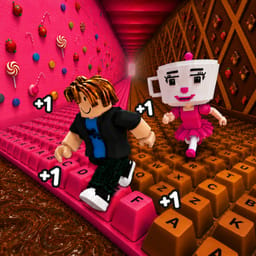
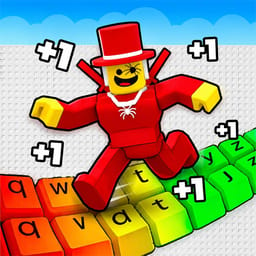
Keyboard Escape: +1 Speed is a speed-focused parkour game set on a giant keyboard made from candy, chocolate, and colorful keys. Your goal is simple: keep moving, build speed, clear each obstacle, and reach the end without falling.
Each step adds +1 Speed to your character. That small boost changes the way the course feels as you move forward. The first sections give you room to learn the movement, but higher speed makes each jump more demanding. Gaps arrive faster, turns need better timing, and a bad landing can send you back to the beginning.
The keyboard itself acts as the obstacle course. You run across oversized keys, jump between platforms, and push through candy and chocolate-themed stages. The bright setting keeps the game easy to read while the increasing pace gives each run more tension. You can focus on beating your last attempt, collecting wins, or reaching a speed that lets you travel farther through the course.
Wins unlock multipliers that help you gain speed at a higher rate. That progression gives you a reason to replay completed sections and test how far your upgraded character can go. More speed can help you cover distance, but it also gives you less time to react. Good movement matters as much as a high speed stat.
Keyboard Escape: +1 Speed also uses keyboard sounds, smooth character movement, soft audio, and ASMR-inspired effects to give the course a relaxed feel between difficult jumps. The game mixes obstacle-course gameplay with a satisfying sense of motion and progression.
Each run gives you an immediate goal. Stay on the keys, keep your momentum, and avoid the gaps. Players who enjoy speed games, parkour challenges, obstacle courses, and progression systems get a clear loop: move, gain speed, earn wins, unlock stronger multipliers, and try to travel farther on the next run.
How to Play Keyboard Escape: +1 Speed
Run across the keyboard keys to gain +1 Speed with each step. Jump over gaps, finish the candy and chocolate stages, earn wins, and unlock multipliers without falling off the course.
PC Controls
- WASD: Move
- Space: Jump
- Right Mouse Button + Mouse Movement: Rotate the camera
Mobile Controls
- Left Joystick: Move
- Swipe on the Screen: Rotate the camera
- On-Screen Jump Button: Jump