
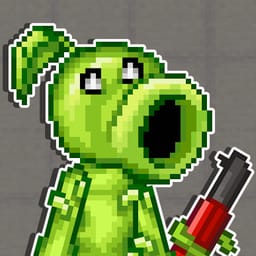
Plants vs Zombies Playground

Game Overview
Plants vs. Zombies Playground is a creative sandbox where you arrange plants, zombies, weapons, armor, and interactive objects into your own battle scenes. This Plants vs. Zombies sandbox gives you a map and a collection of pieces, then lets you decide how the next scenario should work. You can place characters, build structures, and watch the objects interact through the environment.
The creative zombie battle game with plants and weapons focuses on experimentation. A plant can face a zombie in one setup, and another arrangement can create a different chain of movement and impact. Armor, weapons, and other objects add more parts to the scene. You can test a familiar battle idea or build a situation that has no fixed campaign objective.
Plants vs. Zombies Playground is a physics sandbox game with custom scenarios where placement shapes the result. The map gives you room to arrange the characters, choose their positions, and change the objects around them. A new setup can alter the route, the first encounter, and the way the battle develops after the pieces begin to interact.
The game leaves the story in your hands. You can recreate a Plants vs. Zombies scene, build a structure, test a combination, or observe a chain reaction across the playground. Each arrangement gives the plants, zombies, and objects a new position in the battle. A new placement changes the scene you can study next. Plants vs. Zombies Playground keeps its focus on creating a situation, adjusting its pieces, and seeing what happens when plants, zombies, and the environment meet.
How to Play Plants vs Zombies Playground
PC controls
- WASD/Arrows - movement
- Space jump
- Shift sprint
- C - sit down
- E - action button/get on the transport
- R - reload weapon
- LMB attack
- RMB - aim
- Numbers/mouse wheel scrolling - Selection: weapon/gravi-gun
- X - inventory
- Z - throw away the weapon
- Tab - menu (you can also select the type of equipment, weapons, etc.) or pause
Gravi-gun
- LMB (hold) - drag the item
- With the mouse button - create items
- RMB - shooting with gravity cannon abilities
- Scrolling the mouse wheel - moving away/approaching the object
- Q (hold) - rotate the object
- F - freezing
- X - Gravi-gun inventory
- Z - remove an item