
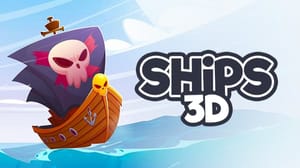
Ships 3D




Game Overview
Ships 3D is a naval battle game about working as a crew during fights on the open ocean. A ship needs movement, cannon fire, sail management, and repairs while enemy fire crosses the water. Each role affects the same vessel, so the crew must keep the ship useful while choosing where to travel and when to engage.
Wind changes the battle's geometry. It affects how quickly a ship travels, the angle of a shot, and the route available around an opponent. Cannon positions matter because a useful firing line may require the ship to turn, while a damaged section may need attention before the next exchange. The open ocean gives the crew room, but every turn changes exposure.
The naval action and strategy loop connects teamwork to ship condition. One task can create time for another, such as repairing damage while the vessel changes position or preparing a cannon before an enemy reaches range. A crew that ignores one part of the ship may lose the advantage created by another.
Choose Ships 3D if you want a naval battle game with cannons and sails or a multiplayer ship game about teamwork at sea. The core loop joins wind, ship movement, cannon fire, repairs, and shared decisions. Each battle asks the crew to keep the vessel working while responding to the next threat. That combination gives the ship strategy a practical purpose during every turn across the water. A change in wind or damage can force the crew to revise the plan.
How to Play Ships 3D
Controls
- WASD – Move your sailor around the ship
- Mouse – Look around and aim
- F – Interact with ship components (helm, sails, cannons, tools)
- A / D (Helm) – Steer the ship
- Hold Left Mouse Button (Cannon) – Aim and fire
- A / D (Sails) – Adjust sails based on wind direction